BlackBerry Forums Support Community
              

Closed Thread
 
Thread Tools
Old 03-27-2009, 12:32 PM   #1
Chuck Berry
New Member
 
Join Date: Mar 2009
Model: 8700
PIN: N/A
Carrier: telus
Posts: 2
Angry Incorrect +0000 GMT times on outbound emails

Please Login to Remove!

The Blackberry is incorrectly setting the local time on emails to +0000 GMT. If the BB displays the correct time and timezone, PDT, why are BB emails set with the incorrect +0000 GMT time in the origination date field ?

Can the email client be configured to set the correct local time on outgoing emails ?
Offline  
Old 04-19-2009, 05:26 PM   #2
WayneN
New Member
 
Join Date: Apr 2009
Model: 8330
PIN: N/A
Carrier: Telus
Posts: 2
Default

Quote:
Originally Posted by Chuck Berry View Post
The Blackberry is incorrectly setting the local time on emails to +0000 GMT. If the BB displays the correct time and timezone, PDT, why are BB emails set with the incorrect +0000 GMT time in the origination date field ?

Can the email client be configured to set the correct local time on outgoing emails ?
I am also finding this to be an issue. Does anyone have a solution?

Thanks
Offline  
Old 05-07-2009, 01:07 AM   #3
Eleusis
New Member
 
Join Date: Aug 2007
Model: Bold
PIN: N/A
Carrier: ATT
Posts: 4
Default

Same here.... sent an email at 9:30 pm, it tells my business contact that I'm awake sending emails at 2:30am?

Not really acceptable IMHO

Last edited by Eleusis; 05-07-2009 at 01:12 AM..
Offline  
Old 05-07-2009, 02:54 AM   #4
JhonWilliams
Knows Where the Search Button Is
 
JhonWilliams's Avatar
 
Join Date: Nov 2008
Location: Los Angeles, CA
Model: 7100T
OS: MAC
PIN: N/A
Carrier: Vodafone
Posts: 26
Default

Hi,

The problem might be due to the correct date and time were not set on the BlackBerry device before email service was activated.

Please correct the date and time on the BlackBerry device.

1.On the Home screen of the BlackBerry device, scroll to Options.
2.Click the trackwheel to open the Date/Time menu.
3. Set the Time Zone, Time, Time Format, Date and Date/Time Source to the correct values for your area.
4. Click the trackwheel and choose Save Changes.

These steps will not correct the time stamps of email messages that already have been received on the BlackBerry device. The only way to change the time stamp on an email message is to send it again and delete the earlier one.
Offline  
Closed Thread


Posting Rules
You may not post new threads
You may not post replies
You may not post attachments
You may not edit your posts

BB code is On
Smilies are On
[IMG] code is On
HTML code is Off

Forum Jump


Vintage Apple I 6502A CPU:  Kim-1, Pet, = (Synertek MOS), Unused, gold Ceramic picture

Vintage Apple I 6502A CPU: Kim-1, Pet, = (Synertek MOS), Unused, gold Ceramic

$299.99


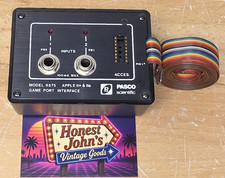
PASCO 6575 Apple IIe IIc Game Port Interface Vintage Apple Computer Collector picture

PASCO 6575 Apple IIe IIc Game Port Interface Vintage Apple Computer Collector

$79.99


Applied Engineering RAMFactor 512K Expansion Card – Apple II IIe IIGS Vintage picture

Applied Engineering RAMFactor 512K Expansion Card – Apple II IIe IIGS Vintage

$99.00


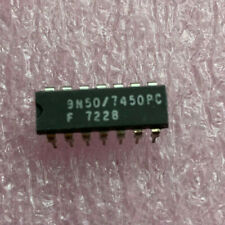
(1) 7450 fairchild IC Vintage Apple I Replica reproduction mimeo newton NEW  picture

(1) 7450 fairchild IC Vintage Apple I Replica reproduction mimeo newton NEW

$9.50


Vernier MPLI MultiPurpose Lab Interface Vintage Apple II IBM PC Computer picture

Vernier MPLI MultiPurpose Lab Interface Vintage Apple II IBM PC Computer

$34.99


Vintage Apple Color LaserWriter Projector Transparencies Reorder No. M3876G/A picture

Vintage Apple Color LaserWriter Projector Transparencies Reorder No. M3876G/A

$5.99


Copyright © 2004-2016 BlackBerryForums.com.
The names RIM © and BlackBerry © are registered Trademarks of BlackBerry Inc.